Voice AI · Personal Project · 2025
Built because I kept forgetting things that mattered.
01 / 07 chapters
Voice AI · Personal Project · 2025
01 / 07 chapters
Role
Designer & Builder
Duration
Personal Project
Year
2025
Tools
Next.js · OpenAI Whisper · Supabase · Framer Motion · Tailwind
Why it exists
I never journaled. The friction of processing a thought and then writing it down meant the moment was gone before I started. Then I started juggling more at once and forgetting things that mattered. Not big things, small ones: an idea at 11pm, a follow-up, a thought to revisit later. I needed somewhere to dump whatever was in my head, move on, and trust it would be there later. So I built Clarity.
The core problem
Every existing tool demanded the same thing: process the thought, then write it. Notes apps, journal apps, voice memos all made you do the work before anything went down. Thoughts don't work that way. They arrive unformed, messy, usually mid-task. The insight: capture should cost nothing. Organisation comes later.
The design challenge
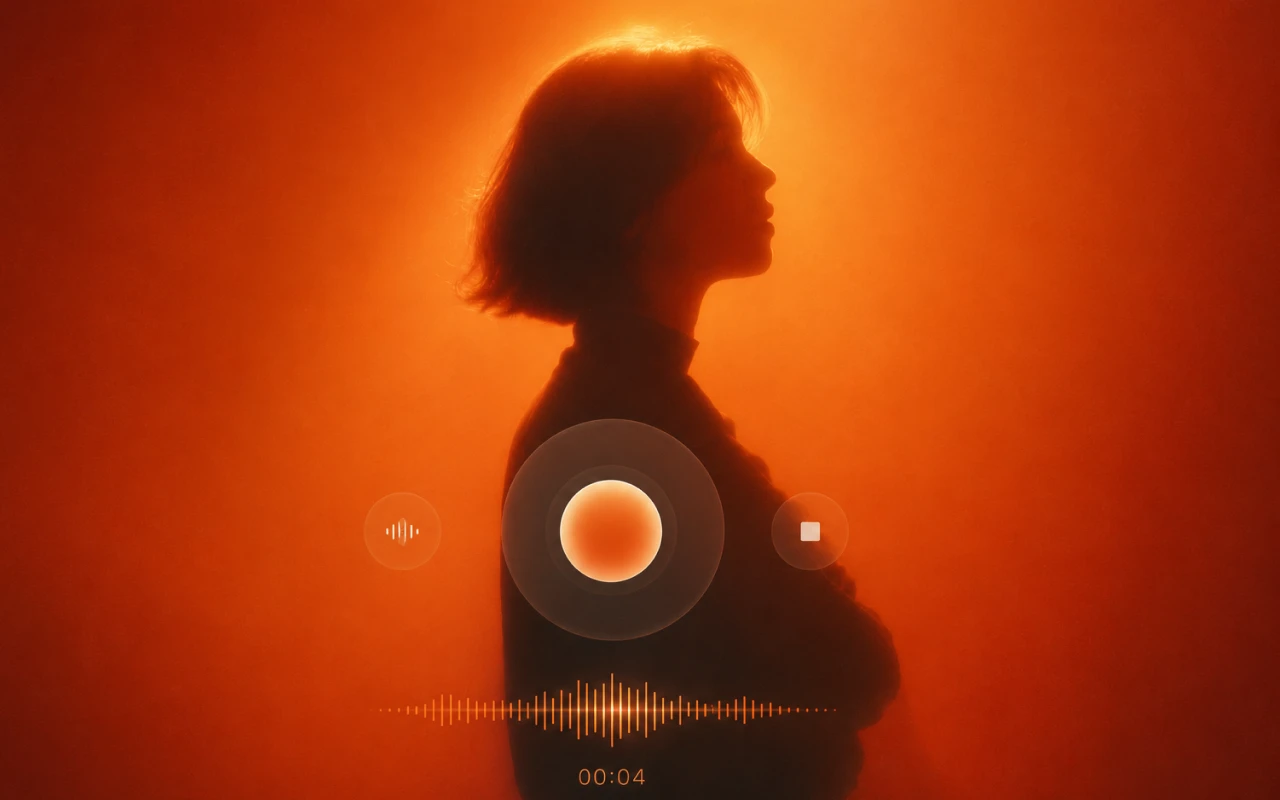
The hardest problem wasn't what to build. It was what to remove. Every feature created friction: a category picker, a priority flag, a due date field. Each made sense alone. Together they turned a thought dump into a form. The goal was calm, not productivity. No urgency: nothing on screen should make you feel behind. No friction: the path from thought to captured stays as short as possible. No pressure: this isn't a task manager, so you never have to act on what you capture.
How it works
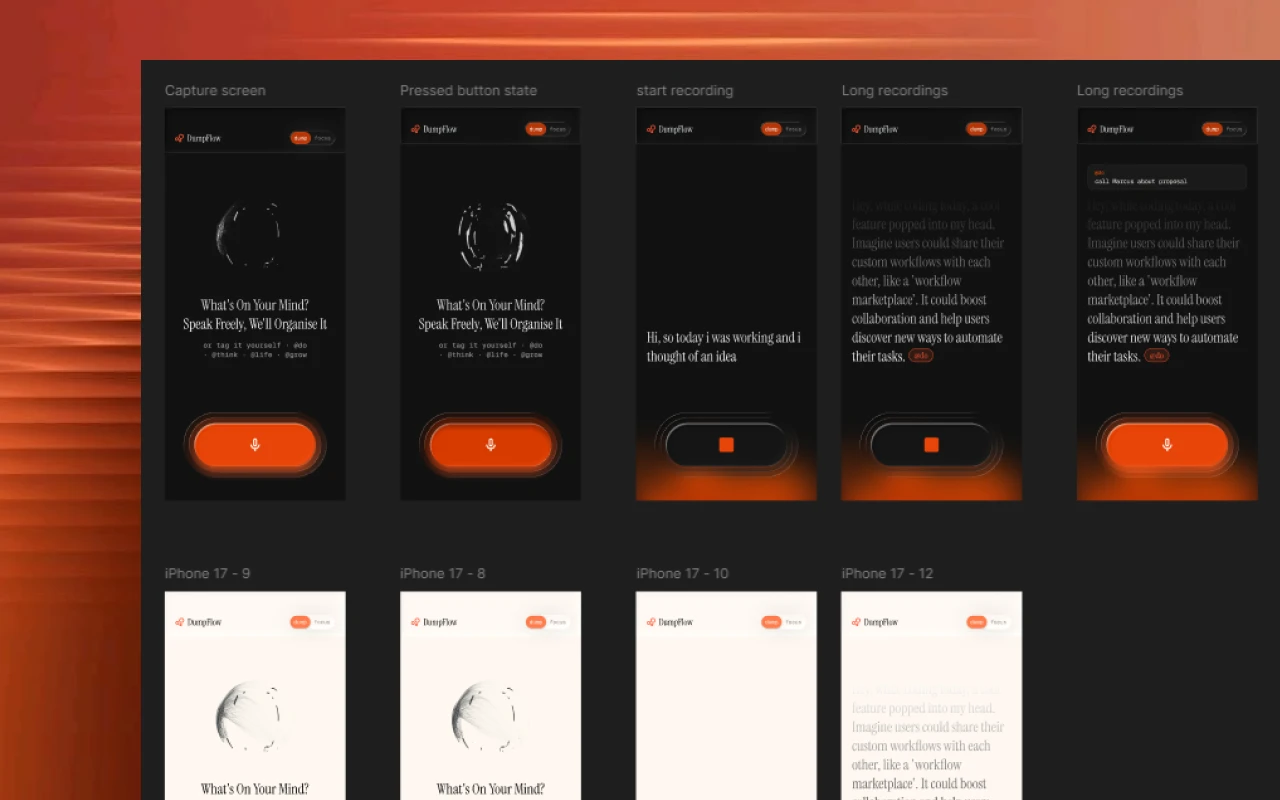
Tap the microphone and speak. Clarity transcribes live, word by word, the way lyrics surface in a music app, so you watch the thought form as you talk. When you stop, AI does three things. It categorises the thought into one of your four life themes, extracts any task buried inside, and headlines it with a short summary. The raw transcription and the AI summary sit side by side in the detail view: your words, and what the AI understood. You stay in control.
The categorisation decision
Early versions asked people to tag their own thoughts, typing @work or @personal before speaking. Logical, but it felt like homework. If you categorise before you capture, you're processing before dumping, which defeats the point. So categorisation moved to AI: speak freely, and it figures out where the thought goes. Full AI control felt wrong too. These are your thoughts, so you see what the AI decided and why. That's "AI UNDERSTOOD": transparent AI, not invisible AI.
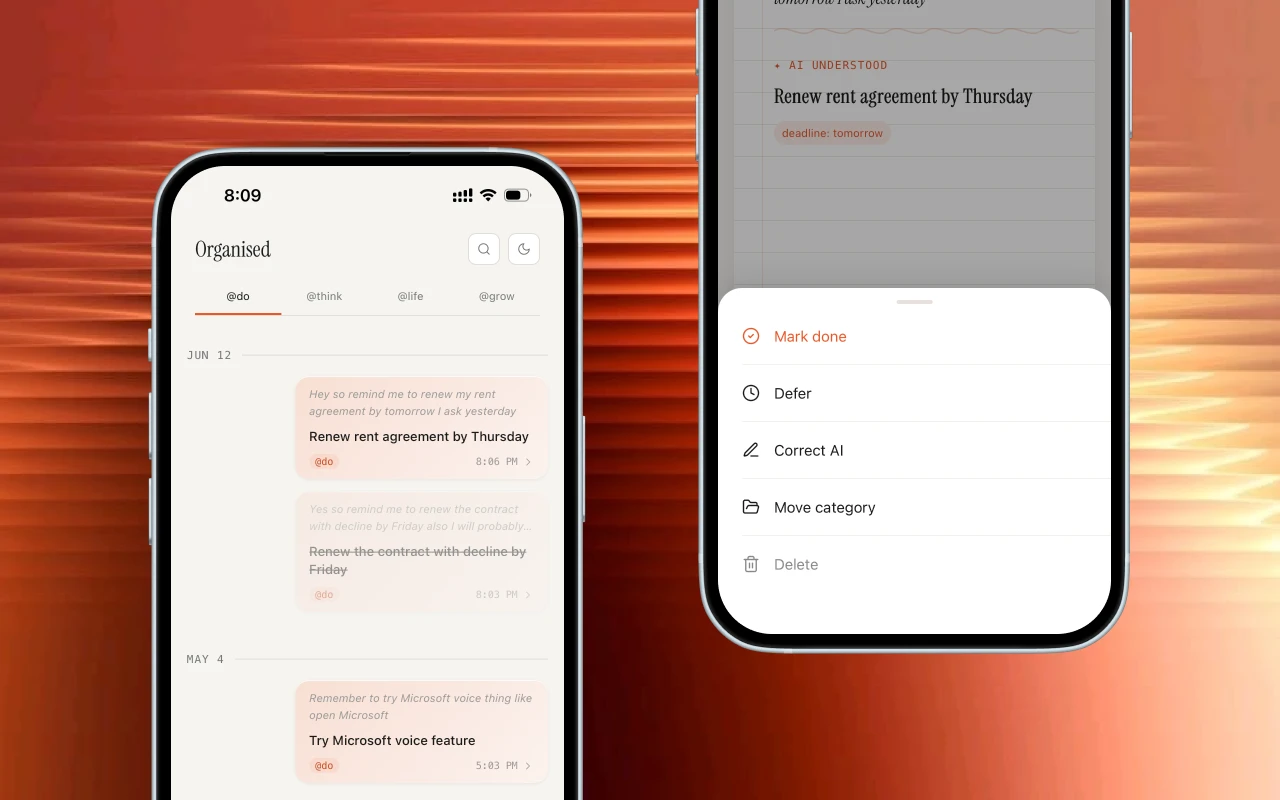
The two modes
Organise mode was always the plan: a categorised view of everything, browsable by theme, sortable by date. Focus mode wasn't. It emerged from using the app, because the organised view showed everything when sometimes you only need to know what deserves attention today. Focus mode answers that. Just the tasks pulled from your voice: no context, no clutter, one clean list. The first version had a badge count and urgency flags. It instantly felt like a to-do app you were behind on. So those came out.
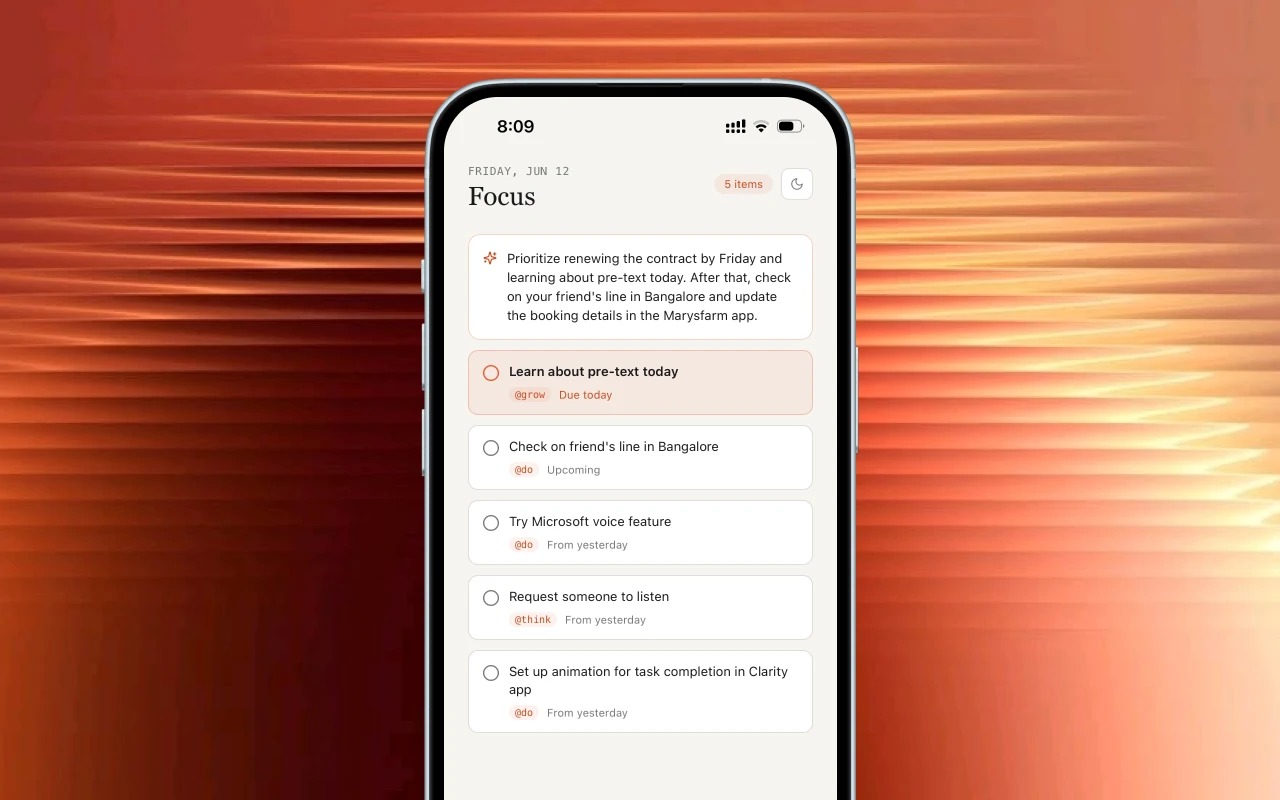
The waveform
The radial waveform on the home screen isn't the recording visualiser; that's a separate bottom waveform that glows as you speak. The radial is abstract, a signal that this is calm and breathing, alive but unhurried, not a productivity tool. A small detail that sets the tone before you tap the microphone.
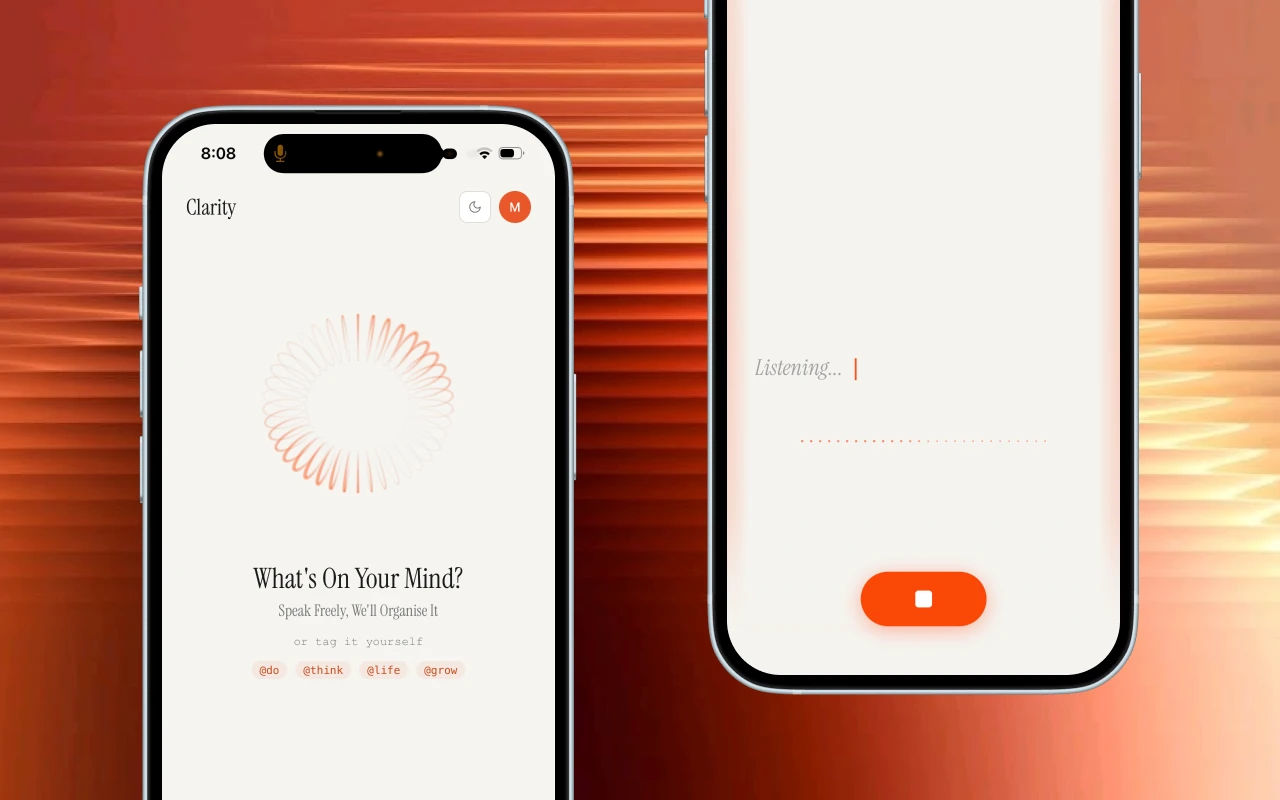
Reflection
The native app exists for one reason: a home screen widget. The PWA still makes you open an app; a widget collapses that to one tap from the home screen, mic open, speak, done. That's the version of Clarity that changes how people capture.
Outcome
Live PWA, used daily and in active testing with early users. The native app is in progress, with the widget as the goal. Built because I needed it.