Designed for dispatchers who can't afford to look twice.

The person behind every on-time pickup.

CrewsLink coordinates ground transportation for airlines like WestJet and Air Canada across 37+ airports. The platform moves 24,000+ crew members monthly. Behind that is a dispatcher, someone on screen for 10-hour shifts, managing live trips, tracking drivers, and rebooking pickups in under 4 minutes when flights change.

That person is who I designed for.
CREWSLINK

Client

CrewsLink

Role

Sole Designer

Scope

End-to-end admin platform

Year

2024–2025

Context & Research

The starting point

The person behind every on-time pickup.

CrewsLink coordinates ground transportation for airlines like WestJet and Air Canada across 37+ airports. The platform moves 24,000+ crew members monthly. Behind that is a dispatcher, someone on screen for 10-hour shifts, managing live trips, tracking drivers, and rebooking pickups in under 4 minutes when flights change.

That person is who I designed for.
What we set out to do

  • Status legibility: every driver's state visible at a glance, no dropdowns.
  • Trip flow: booking, managing, and reconciling trips in fewer screens.
  • Operational truth: contracts, billing, and permissions in one platform.

Problem

Dispatch software is built for completeness, not speed

Every field present. Every option visible. The result: dense interfaces that slow down the people who need to move fastest.

One principle guided every decision: can a tired dispatcher at hour 10 understand this in 2 seconds?

Solution

Five interconnected modules (Map Overview, New Booking, Trip Management, Contract & Billing, Permissions) built around one principle: every unnecessary click is friction

Friction costs time. Time costs crews.

Decision · 01

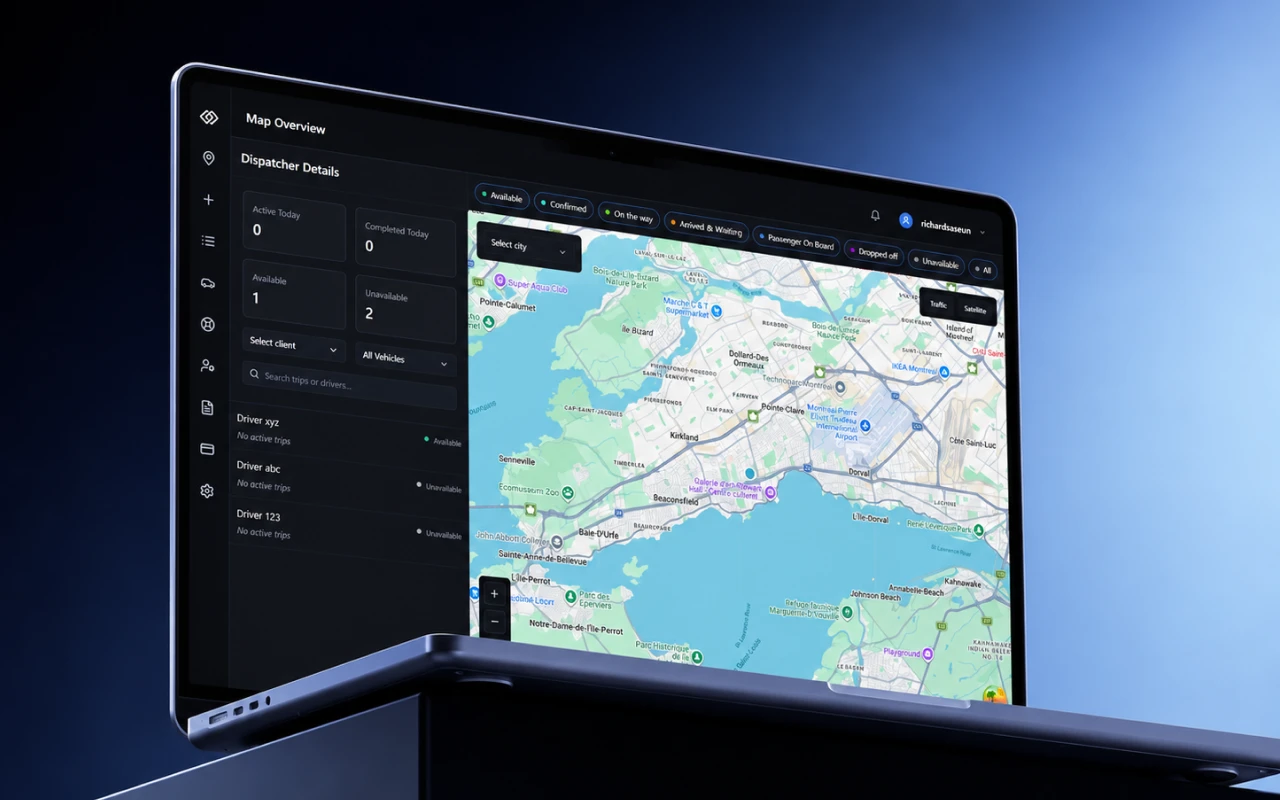
Map Overview

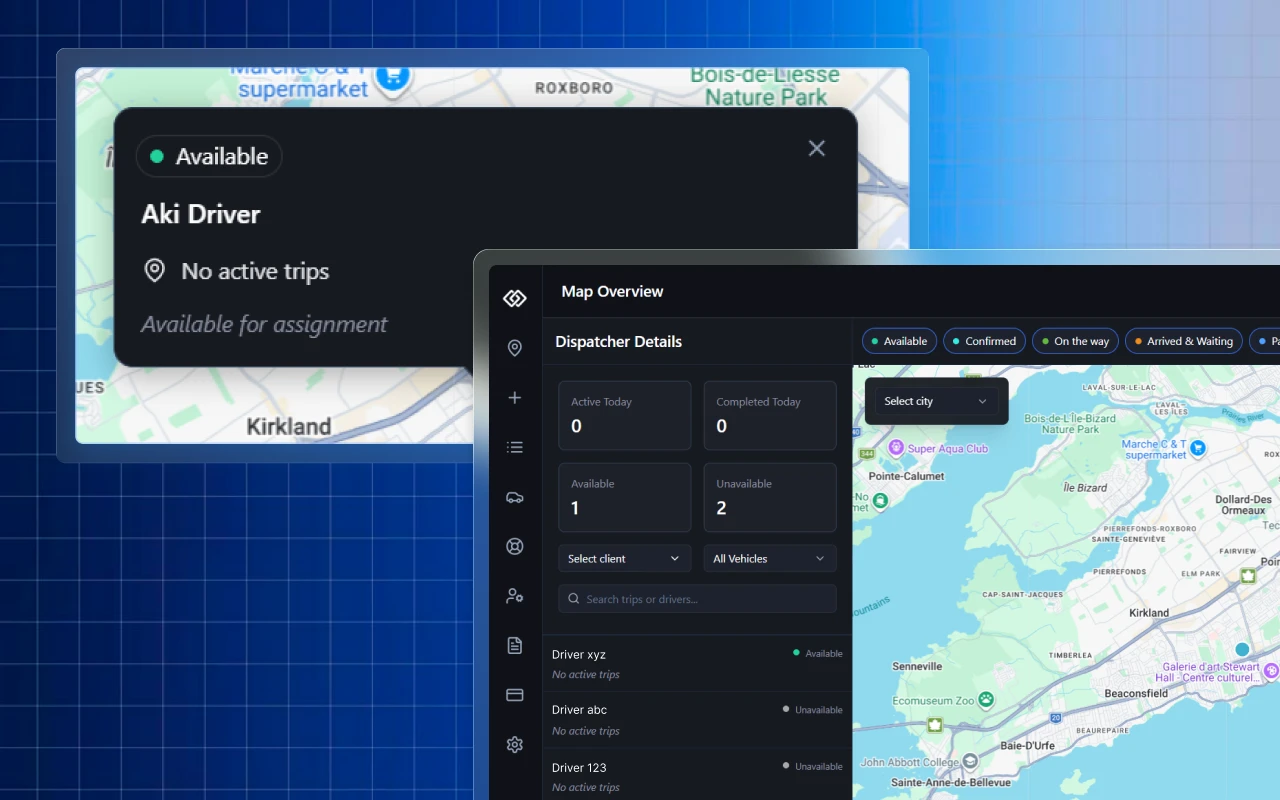
The command centre. Live driver positions on the map. Left panel shows all drivers with colour-coded status. Persistent pill filter bar at the top, one click to isolate Available, On the way, or Arrived drivers. No dropdowns. No nested menus.

Map Overview: live positions, status pills

Decision · 02

New Booking

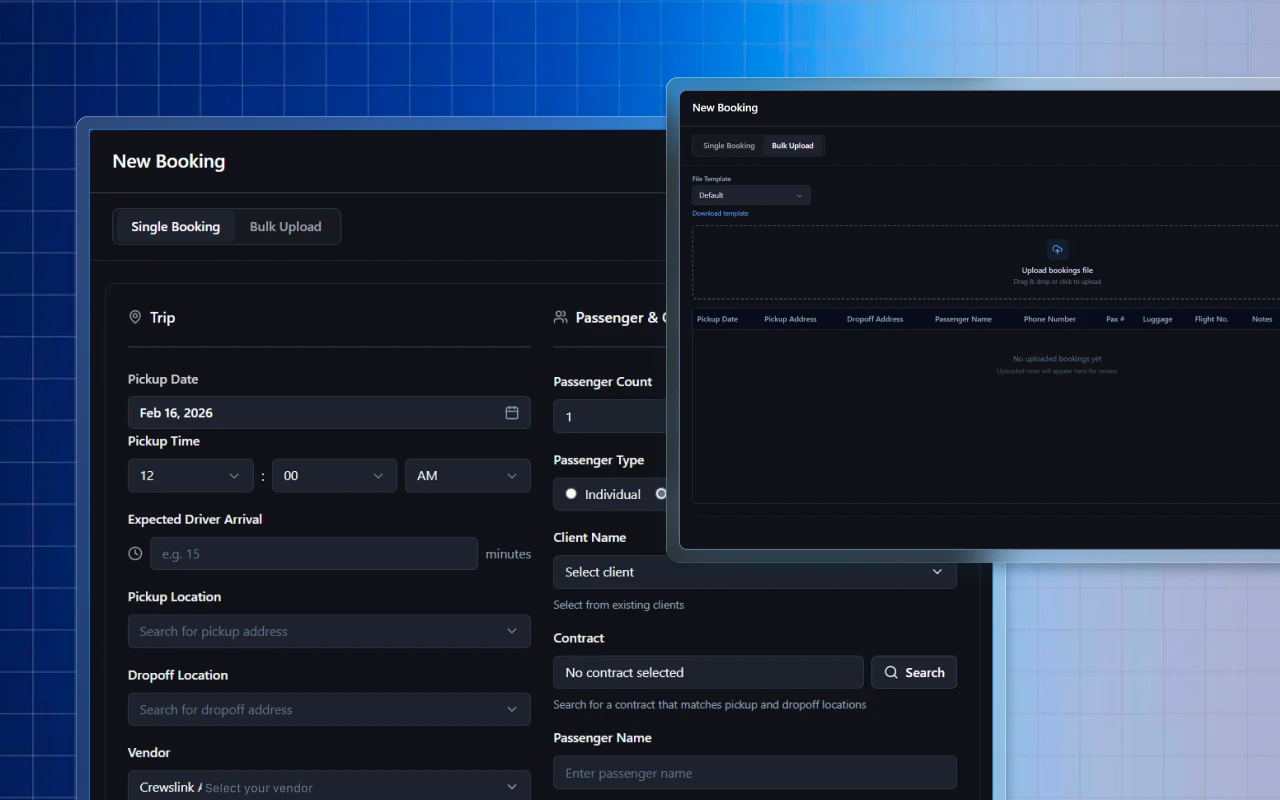
Trip details and passenger info side by side. Live trip summary updates as fields are filled. Map visible throughout, so dispatchers confirm pickup and dropoff visually without switching screens.

New Booking: details, summary, map in one view

Decision · 03

Trip Management

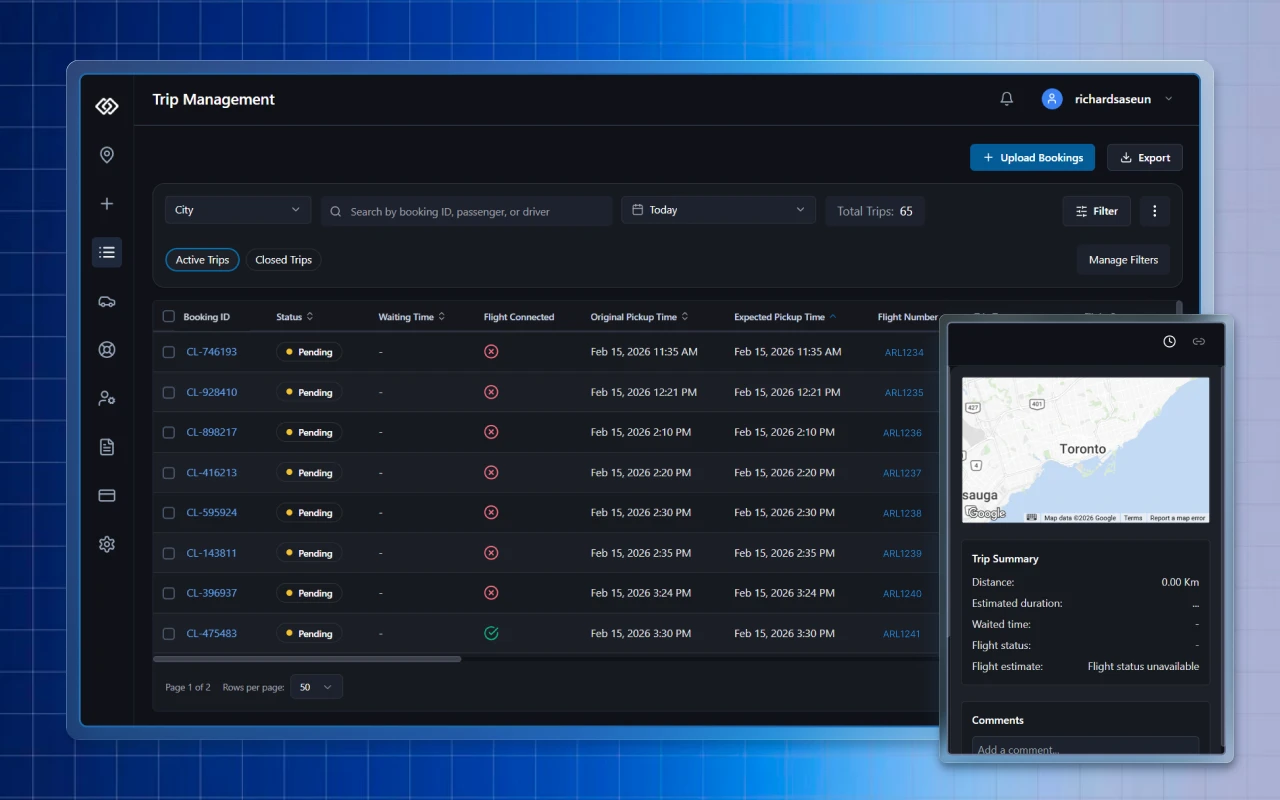
65 trips in one view. The Flight Connected column tells dispatchers instantly which bookings auto-update with flight data and which need manual attention. Active and Closed trips separated by a single toggle.

Trip Management: 65 trips, Flight Connected column

Decision · 04

Contract & Billing Management

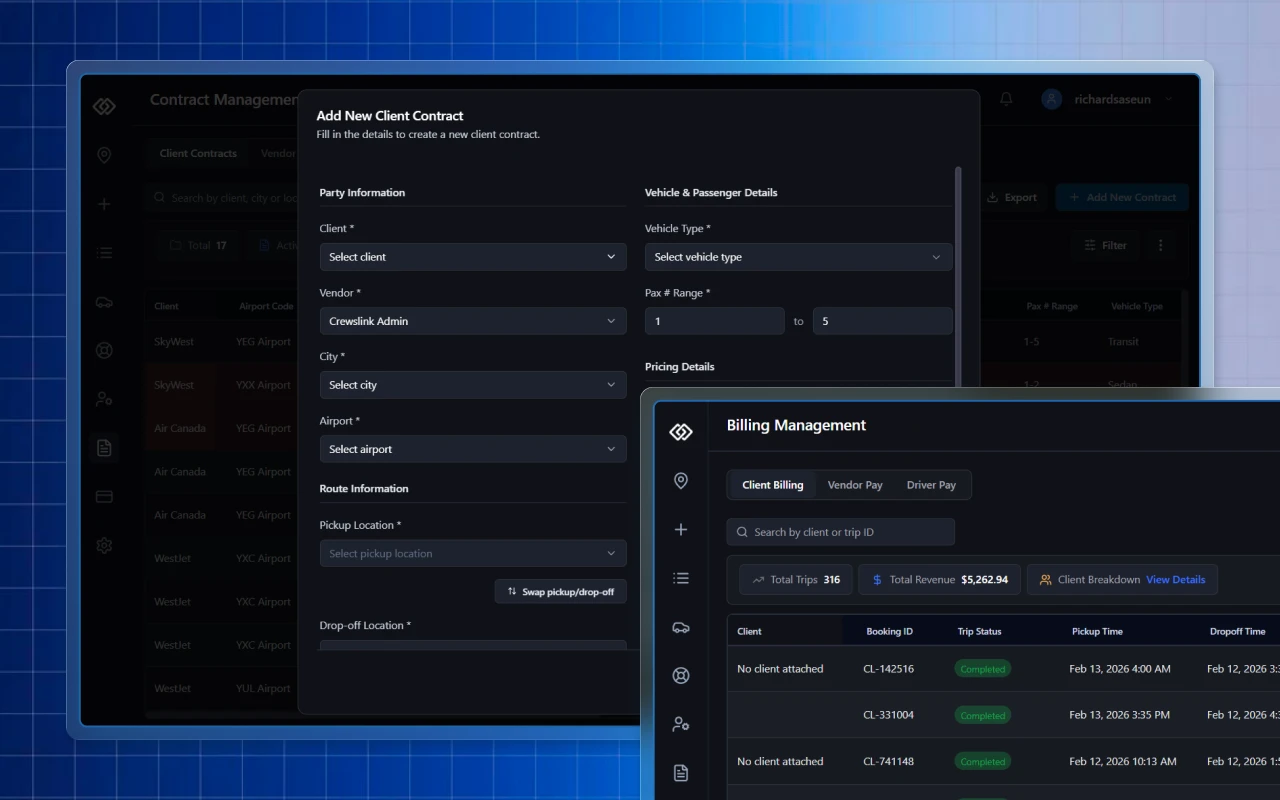
Airlines operate on complex contracts per airport, route, and vehicle type. The contract table surfaces expiring contracts proactively. Billing consolidates Client, Vendor, and Driver pay into one place, with no reconciliation across systems.

Contract & Billing: one consolidated view

Decision · 05

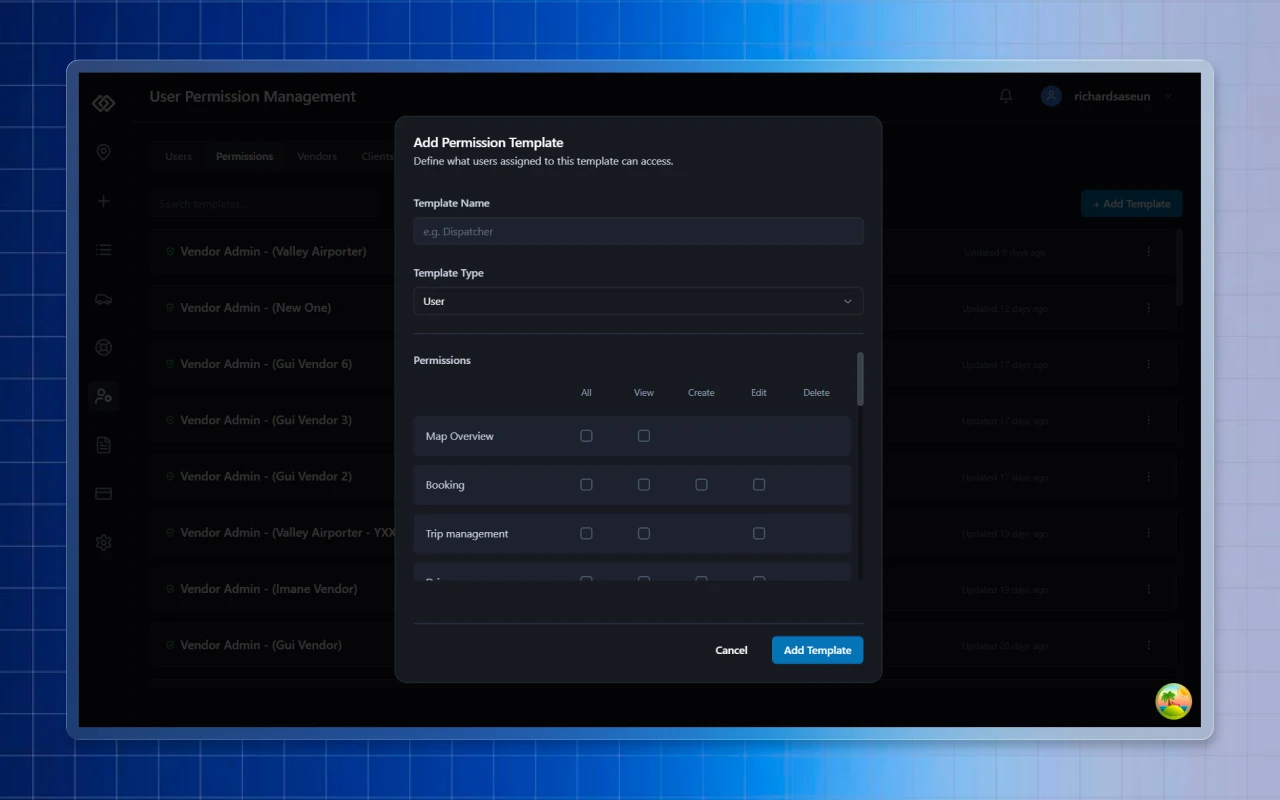
Permissions

Role-based access across every module. Dispatchers, vendor admins, drivers, and airline clients each see only what they need. New users onboarded with one template click.

Permissions: role-based access, template onboarding

Impact

The outcome

Replacing the status filter dropdown with a persistent pill bar. Dispatchers filter by driver status dozens of times per shift. Three clicks became one. For someone doing it 50 times a day, that's hundreds of saved interactions per shift. The best dispatch software feels like an extension of instinct. Every unnecessary click is friction. Friction costs time. Time costs crews.

99.7%

On-time pickup rate

24,000+

Crew moved monthly

37+

Airports · 3 airlines

Reflection & Results

Designing for dispatchers means designing for hour 10 of a 10-hour shift. The benchmark isn't "does this look good?" It's "can someone exhausted still get it right at 2 a.m.?" That question quietly rewrote every layout decision.

WestJet · Air Canada · SkyWest · 37+ airports. The full platform is live.

Next